
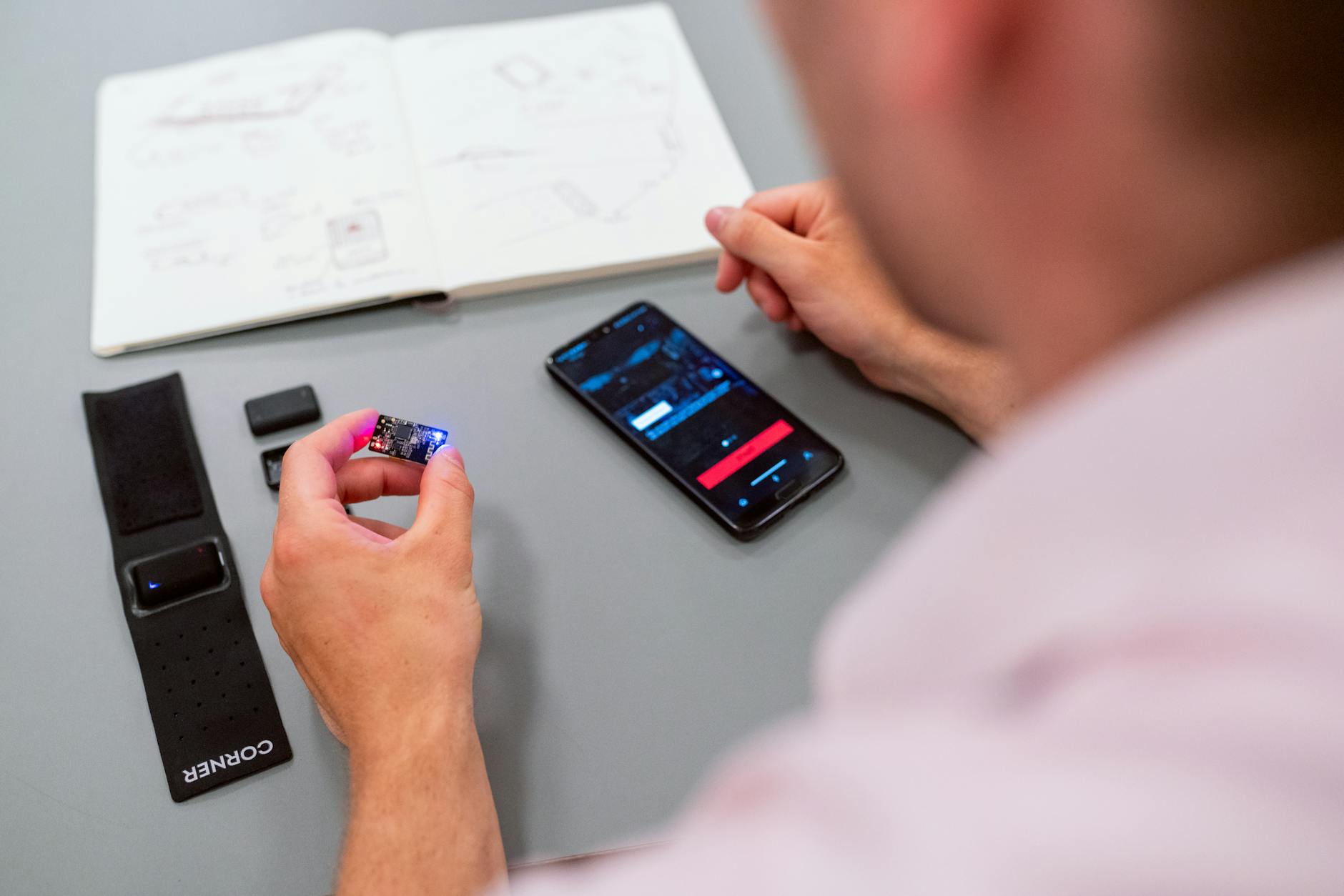
Common Production Failure Modes in Wearable Apps
Wearable app development companies frequently encounter a triad of critical failure modes during production deployment: excessive power consumption, unreliable real-time sensor synchronization, and flaky Bluetooth connections. These issues often manifest in user complaints of poor battery life, delayed or erratic data presentation, and intermittent pairing or data loss with companion devices. The root cause is usually a complex interplay of hardware constraints, firmware inefficiencies, and suboptimal communication protocols.
For example, many wearable devices operate on batteries smaller than 100mAh, imposing stringent power budgets. Developers sometimes overlook the cost of frequent sensor polling or aggressive Bluetooth advertising intervals, leading to rapid battery drain. Similarly, real-time sensor sync failures can stem from timing mismatches between the wearable’s data aggregation layer and the host mobile app, resulting in data gaps or jitter.
Bluetooth architecture flaws—such as incorrect handling of connection state machines or ignoring underlying radio interference patterns—further exacerbate these production-level failures. The common mistake is treating these problems in isolation rather than holistically, which leads to superficial fixes that do not hold up under real-world conditions.
Telemetry Strategies for Accurate Diagnostic Data
Effective telemetry is indispensable for diagnosing wearable device app development failures. However, the challenge lies in balancing the granularity of telemetry data with the additional power and bandwidth overhead it incurs. A wearable app development company must engineer telemetry pipelines that provide actionable insights without compromising device performance.
Key telemetry elements include:
- Sensor event timestamps: Precise timing of sensor reads and processing helps identify latency and sequence errors.
- Bluetooth connection metrics: Signal strength, packet retransmissions, and connection intervals reveal wireless link stability.
- Power state transitions: Tracking CPU sleep modes, radio on/off cycles, and sensor sampling frequencies highlights power drain sources.
Data should be logged locally with circular buffers and transmitted during low-load periods or on-demand to minimize interference. Many wearable app development services implement adaptive telemetry that adjusts based on detected anomalies, increasing data resolution only when failures are suspected.
Root Cause Analysis: Case Studies from Wearable Device App Development
Consider a wearable app repeatedly failing to maintain Bluetooth Low Energy (BLE) connections during high motion activities. Initial symptom reports showed random disconnections every 10 minutes, frustrating users relying on continuous heart rate monitoring.
Through telemetry audit, the team uncovered that BLE connection intervals were set too conservatively to conserve power, combined with a firmware bug delaying reconnection attempts. The motion-induced interference also wasn’t accounted for in the radio stack’s error handling.
In another case, high power consumption on a smart watch was traced to sensor sampling rates being locked at 100Hz instead of the intended dynamic rate that adjusts to user activity. The app’s state machine failed to transition sensors into low-power modes during idle periods.
| Issue | Root Cause | Telemetry Clue | Fix Implemented |
|---|---|---|---|
| BLE disconnection every 10 min | Overly long connection interval + reconnection bug | Repeated connection drop logs at intervals | Optimized BLE intervals, fixed reconnection logic |
| Excessive power use | Sensor sampling fixed at max rate | Continuous high-frequency sensor read timestamps | Implemented dynamic sampling rate control |
Effective Permanent Fixes for Bluetooth and Power Issues
Permanent fixes require revisiting architectural decisions rather than patching symptoms. For Bluetooth issues, optimizing the connection interval and slave latency parameters is critical. Connection interval controls how often the wearable and host device exchange data; too frequent intervals waste power, too sparse cause latency and disconnections.
Implementing robust state machines that gracefully handle connection loss and retries ensures stability during environmental interference. Firmware should incorporate adaptive backoff strategies to avoid endless reconnection loops draining power.
On the power side, adaptive sampling must be standard. Sensors should operate at low rates or sleep entirely when no significant motion or event is detected. Power profiling during development, using tools like current monitors and power analyzers, helps identify unanticipated drains.
Additionally, employing Bluetooth Low Energy features such as data length extension and coded PHY can enhance throughput and range, reducing retransmissions and associated power costs.
Designing a wearable device’s Bluetooth stack and sensor polling strategy with adaptive, context-aware controls is essential to minimize power consumption and maximize connection reliability under varied real-world conditions.
Best Practices for Ongoing Wearable Application Development Quality
Maintaining quality in wearable application development services requires integrated monitoring and continuous improvement loops. This means embedding diagnostic telemetry hooks from day one, enabling rapid detection of emerging issues post-release.
Establishing a rigorous production audit protocol that includes regular power profiling, live sensor sync validation, and Bluetooth stress tests under representative user scenarios is vital. Cross-functional collaboration between firmware, app, and hardware teams reduces blind spots.
Finally, engaging with a specialized wearable app development company experienced in IoT mobile engineering ensures access to best practices and tooling optimized for these domain-specific challenges.
For companies ready to scale or troubleshoot existing products, partnering with expert teams via direct consultation can accelerate root cause analysis and permanent fix deployment, improving user experience and device longevity.
Frequently Asked Questions
What are typical failure points in wearable app development?
Typical failure points include excessive power consumption, unstable Bluetooth connections, and synchronization delays between sensors and the wearable app, often due to hardware-software mismatches or inefficient communication protocols.
How does telemetry improve debugging in wearable devices app development?
Telemetry provides real-time, granular data on device states, sensor readings, and network conditions, enabling engineers to pinpoint exact failure moments and conditions, which accelerates root cause analysis and targeted fixes.
What permanent fixes can reduce power issues in wearable apps?
Permanent fixes include optimizing sensor polling intervals, implementing adaptive power management algorithms, and refining Bluetooth Low Energy (BLE) stack usage to minimize active transmission time without sacrificing data fidelity.
Why is a post-mortem important after wearable app production failures?
A post-mortem systematically documents failure causes, impacts, and corrective measures, preventing repeat issues, improving team knowledge, and enhancing the reliability of future wearable application development cycles.

Ready to Engineer Your Category-Defining Flagship?
Launch with $0 upfront commitment. Our 4-stage transparent milestone engineering de-risks execution while guaranteeing unmatched speed and conversion.
CONFIGURE PROJECT SCOPE